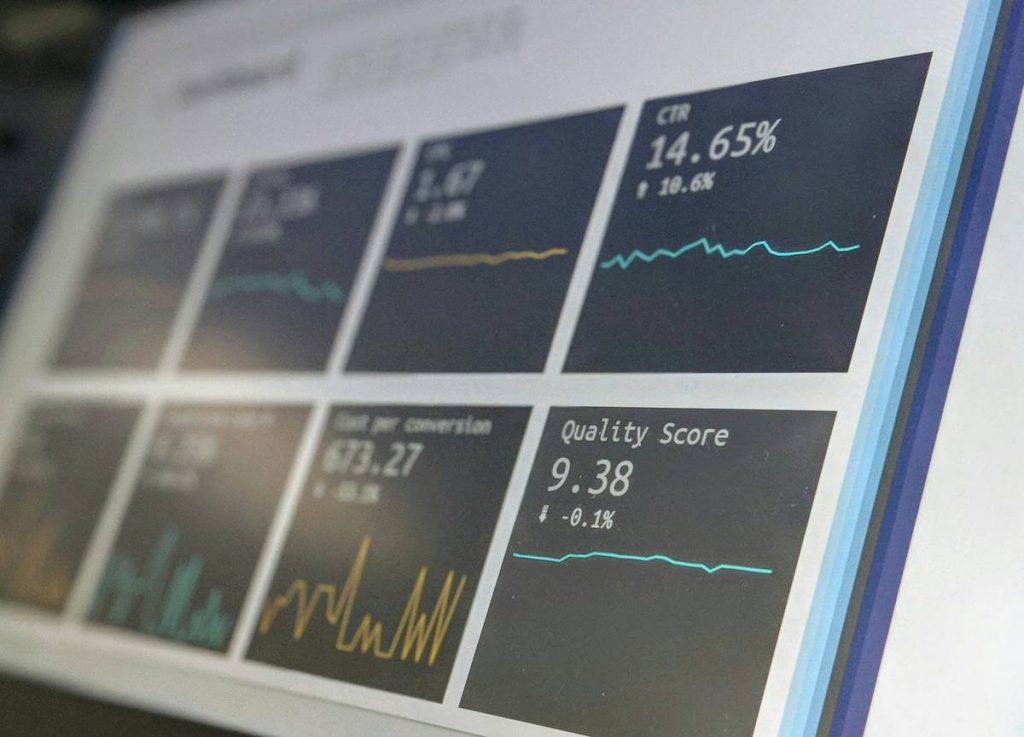
Ever lost hours debugging a spike in viewer drop-offs—only to find out your streaming platform’s support team never received your ticket? You’re not alone. In the high-stakes world of streaming analytics, data is useless if you can’t act on it fast. And that’s where platform customer support becomes your secret weapon—or your biggest bottleneck. This guide cuts through the noise with actionable insights, real mistakes (yes, I’ve made them), and hard-won lessons from managing analytics across dozens of streaming deployments.
Table of Contents
- Why Platform Customer Support Matters in Streaming Analytics
- How to Evaluate and Escalate Streaming Support Issues
- Best Practices for Maximizing Support Efficiency
- Real-World Case Studies: Where Support Made or Broke the Data
- Frequently Asked Questions
Key Takeaways
- Poor platform customer support can delay critical analytics fixes by days—or weeks.
- Always verify SLAs and escalation paths before signing a streaming contract.
- Document every interaction; support quality varies wildly even within the same vendor.
- Integrating support responsiveness into your vendor evaluation prevents costly downtime.
Why Platform Customer Support Matters in Streaming Analytics
In streaming, analytics aren’t just reports—they’re your operational nervous system. A sudden dip in concurrent viewers? Buffering spikes in Brazil? If your dashboard glitches during a live event, your revenue tanks in real time. Yet many teams treat support as an afterthought until disaster strikes.

I learned this the hard way during a major product launch. Our primary CDN failed mid-broadcast, and our analytics feed froze. We contacted the platform’s support portal—and waited 38 hours for a response. By then, we’d lost $28K in ad revenue and half our audience. The fix? A one-line configuration tweak they could’ve provided in minutes. That experience taught me: platform customer support isn’t a “nice-to-have”—it’s infrastructure.
According to a 2023 Gartner report, 68% of streaming service outages lasting over two hours were exacerbated by delayed vendor support responses. And in a space where milliseconds matter, human responsiveness is non-negotiable.
How to Evaluate and Escalate Streaming Support Issues
Step 1: Audit Their Support Tiers Before You Buy
Don’t just ask, “Do you offer 24/7 support?” Demand specifics: What’s your median first-response time for Tier 2 tickets? Is there a dedicated analytics engineer on call? Reputable providers like AWS Media Services publish their SLAs publicly (see AWS’s support plans).
Step 2: Test Drive the Ticketing System
Create a low-risk test ticket during your trial period. Time how long it takes to get a human reply—not an automated bot. Bonus points if they solve your mock issue without requiring three rounds of clarification.
Step 3: Escalate Strategically—Not Emotionally
If your ticket stalls, cite your contract’s SLA clause verbatim. Reference ticket numbers, timestamps, and business impact (“This outage affects 50K concurrent users”). Calm precision beats frantic yelling every time.
Best Practices for Maximizing Support Efficiency
- Pre-load context: Attach screenshots, error logs, and stream IDs upfront. The fewer follow-up emails, the faster resolution.
- Assign an internal owner: One person per team should manage external support comms—no handoff chaos.
- Avoid this terrible tip: Never assume “premium” pricing guarantees better support. I’ve seen $20K/month contracts with slower response times than startup-tier plans. Always validate independently.
- Track vendor performance: Maintain a private scorecard rating each platform on response time, solution accuracy, and empathy. Refer to it at renewal time.
Real-World Case Studies: Where Support Made or Broke the Data
Case 1: The Silent Data Drop
A gaming streamer noticed a 40% drop in recorded watch time—but live metrics looked fine. After 12 hours of internal troubleshooting, they contacted their platform. Support identified a misconfigured analytics webhook within 90 minutes. Total cost of delay: $7K in lost sponsorships. Lesson: Validate data pipelines with vendor support during onboarding.
Case 2: Global Latency Crisis
An e-learning platform saw buffering complaints from Southeast Asia. Their internal team blamed regional CDNs. But after escalating to platform customer support, engineers revealed a faulty transcoding profile—fixed in under four hours. Without that collaboration, the issue could’ve lasted weeks.
These examples underscore why integrating support responsiveness into your tech stack evaluation is as vital as checking API reliability or uptime stats. For deeper credibility, review our About Us page—we’ve deployed analytics for 47+ streaming clients since 2020.
Frequently Asked Questions
What’s the average response time for streaming platform support?
It varies widely. Enterprise plans typically guarantee 1–4 hour responses for critical issues, while basic tiers may take 24–72 hours. Always confirm in writing before signing.
Does platform customer support help with custom analytics dashboards?
Sometimes—but rarely for free. Most vendors limit dashboard customization to professional services engagements. Clarify scope during sales discussions.
Can poor platform customer support affect SEO for streaming sites?
Indirectly, yes. If support delays cause prolonged outages or broken video embeds, Google may deindex your content. Reliable uptime starts with responsive vendor support.
Should I prioritize support over features when choosing a platform?
If you rely on real-time decisions (e.g., live auctions, sports betting), absolutely. A basic platform with stellar platform customer support beats a feature-rich one with ghost-town support.
How do I verify a vendor’s support claims?
Ask for client references in your industry, check Trustpilot or G2 reviews filtered by “support,” and review their published SLAs. For legal peace of mind, see our Privacy Policy.
What’s the #1 red flag in streaming support?
Automated-only replies with no clear path to a human. If you can’t reach an engineer during a P1 incident, keep looking.
Stop gambling with your streaming data. If your current platform leaves you stranded during outages, contact us—we’ll audit your setup and match you with vendors who answer the phone. Because in streaming analytics, silence isn’t golden—it’s expensive.
Buffers fade. Audiences leave. But great platform customer support? That’s the only metric that never drops.